Starting point · Assisted process
≈1 month
Event setup and website customization
The legacy journey went through sales and the Eventtia team.
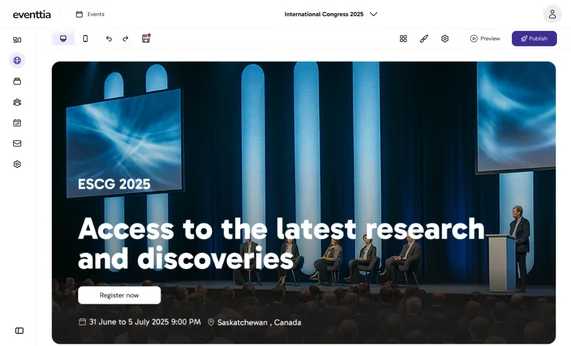
I led the design of an AI-assisted experience for Eventtia, an event management platform. Organizers can create their event and generate its website in under five minutes, with a simpler starting point for both independent organizers and larger teams.
Starting point · Assisted process
The legacy journey went through sales and the Eventtia team.
10 invited clients · Average
From creating the event to a generated website, on their own.
Website quality
Relevant starting points, with curated editing options.
The challengeA new audience
Eventtia’s legacy journey relied on demos, calls, quotes and assisted setup. That model made it difficult to reach organizers without a design or marketing team. The goal was to open a self-service entry point for smaller organizers and simplify setup for larger clients.
I benchmarked Luma and Eventbrite and interviewed smaller clients. With the team, I used RICE to focus the MVP around getting an organizer to a first useful website, with a free entry point instead of a demo request.
The decisionGet to value sooner
Early tests showed that setup asked for organization and attendee information too soon. We removed irrelevant fields and moved other details later. The first journey focused on creating the event and gathering the context needed to generate its website.
Organization and attendee details do not all need to block the first website.
Category, goals and tone give the generation process relevant context.
Start with a proposed website and copy, then let organizers adapt them.
I defined 30 predefined templates around event categories. The generation experience uses event details to propose a relevant template and initial copy, giving organizers a complete starting point instead of a blank page.
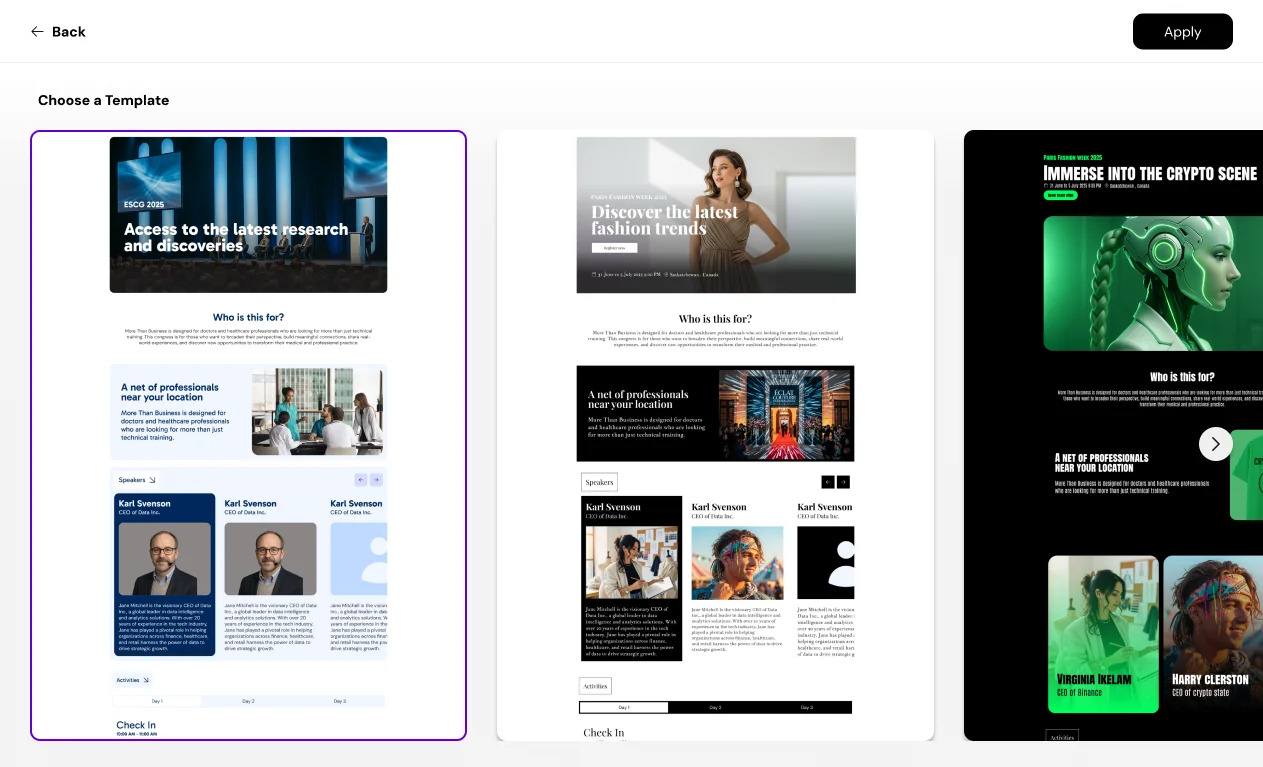
AI takes the event details, picks a fitting template and writes the first version of the copy. Each event gets its own website, on desktop and mobile, ready to adapt.
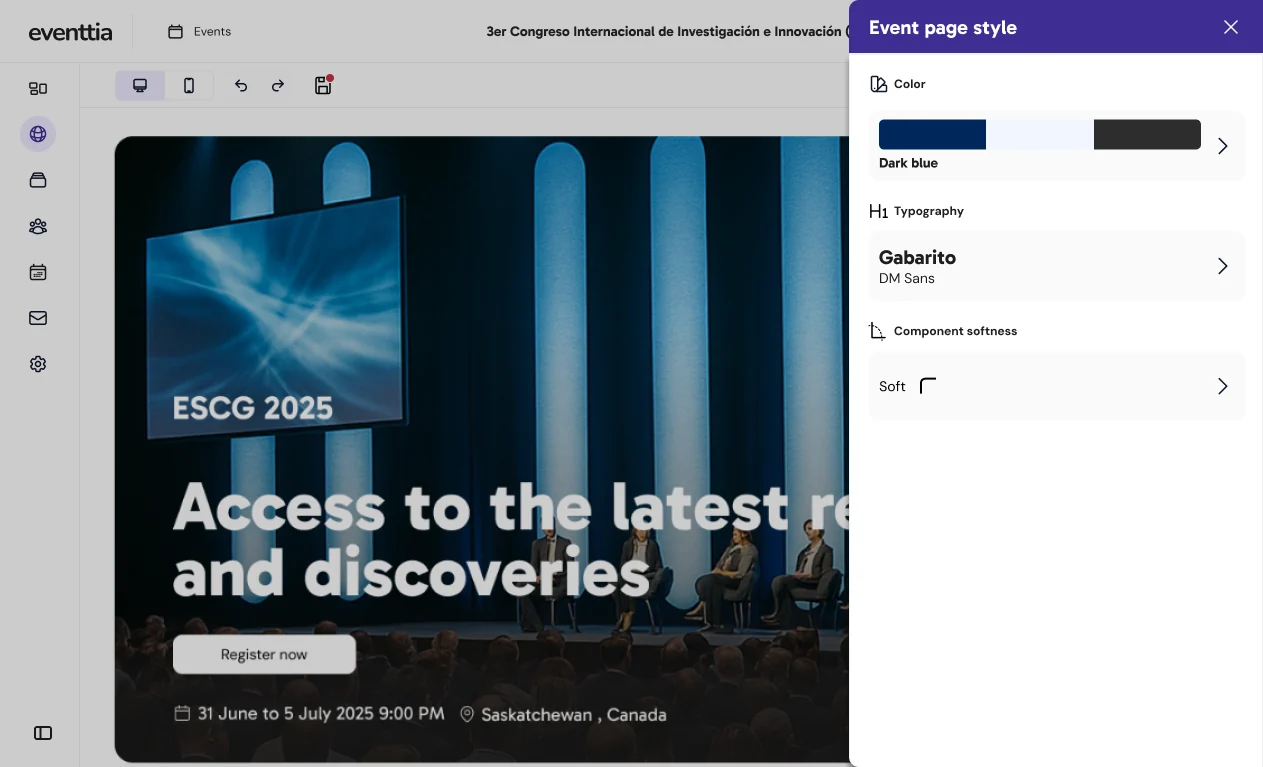
I curated colors, typography, shapes and content modules. Organizers could edit their website while staying within choices designed to preserve visual quality. That balance was central to serving people without a design or marketing team.
The productKeep the operation connected
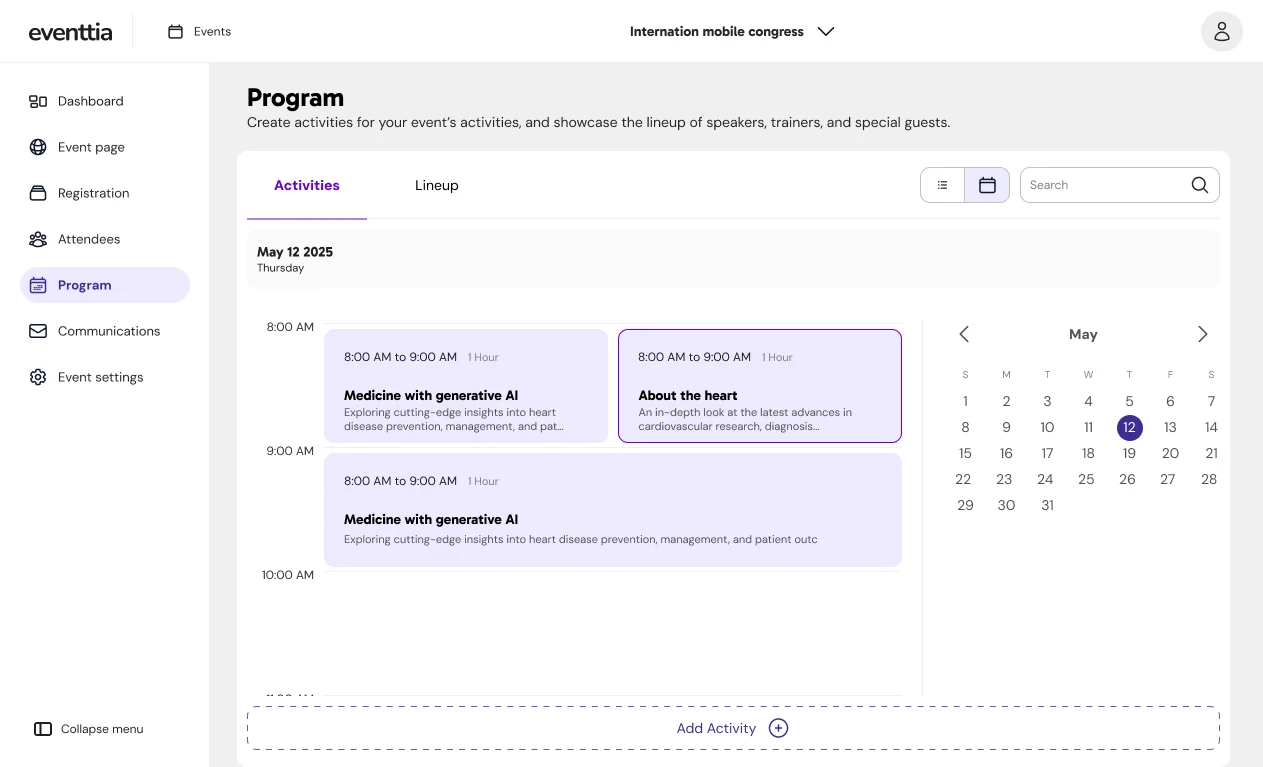
Self-service also meant letting organizers manage the event without duplicating work. I designed the agenda, speakers and attendee types as structured information linked to website components, so updates flow into the site.
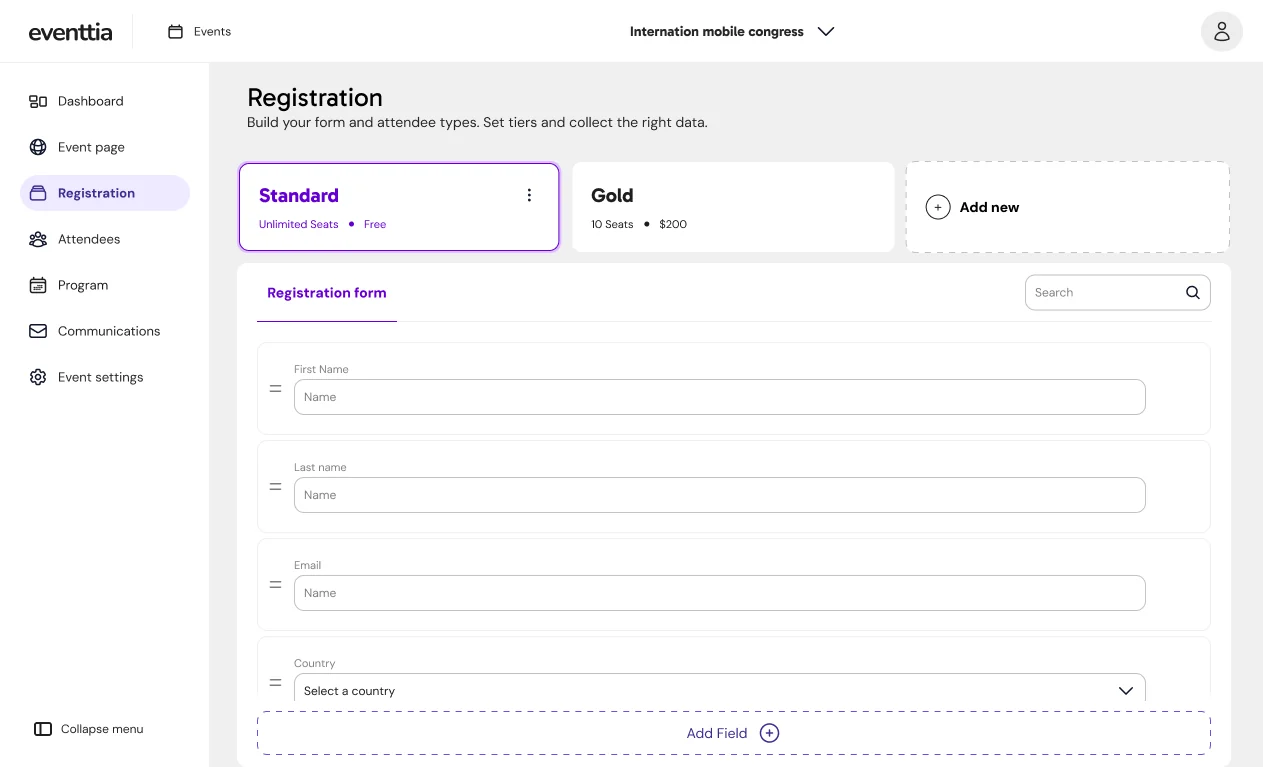
The new registration experience puts attendee types, pricing and form fields together, in the same place where the event is managed.
I designed checkout from ticket selection through attendee details, confirmation, payment and QR tickets. It opens over the event page and keeps its look, so registration feels like a continuation of the event website.
What we observedInvited users
Across 10 invited clients, creating an event and generating its website took less than five minutes on average. Testing also led us to remove or postpone setup fields, making the path to that first proposal more focused.
That is progress toward the business goal: a lower barrier for smaller organizers and a simpler starting process for larger clients.